See AIChessGM in Action
A powerful yet intuitive interface for all your chess analysis needs
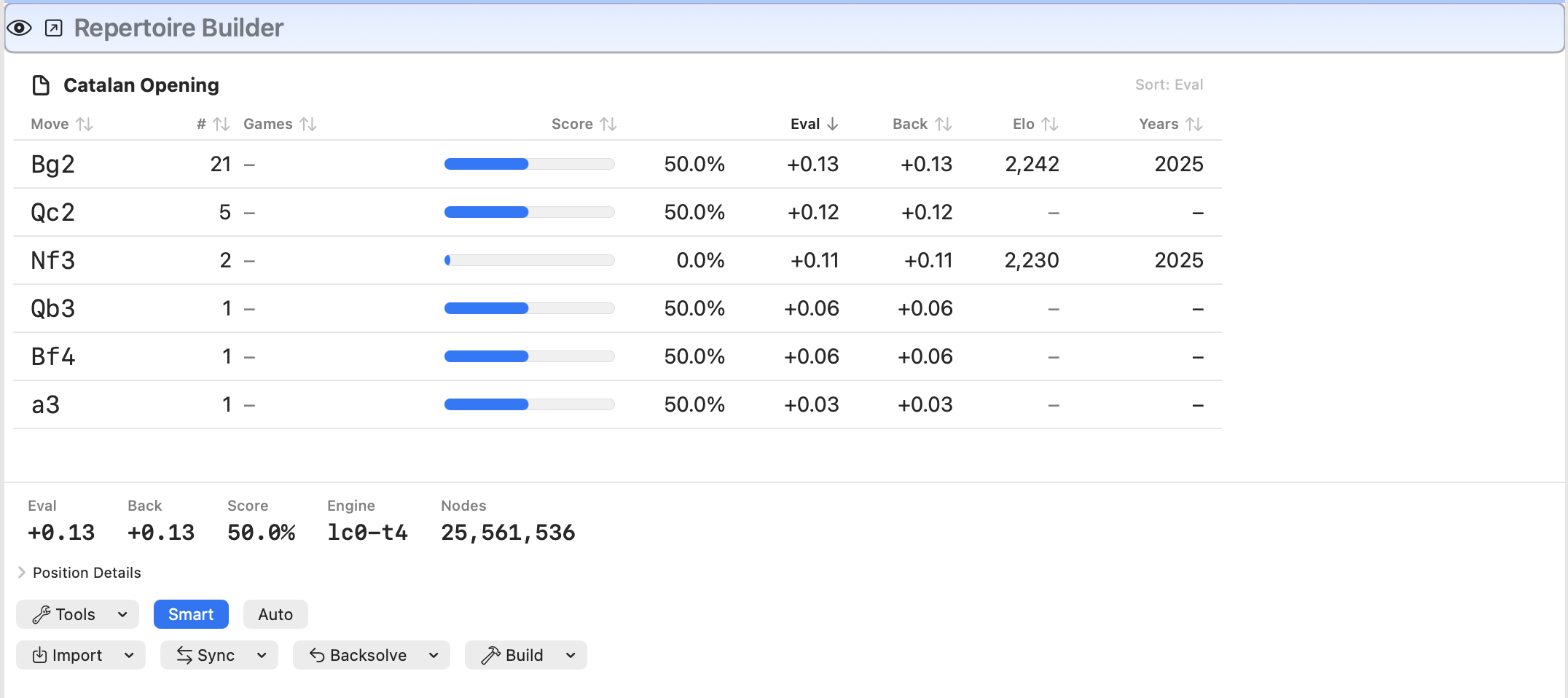
Repertoire Builder with transposition-aware move stats, Eval + Back columns, and Smart/Backsolve workflow controls
AIChessGM helps you build a real opening repertoire from your own games. Create a transposition-aware Opening Tree, add engine evaluations only where it matters, and train your lines with structured practice tools.
AI features are optional. AIChessGM is first and foremost a modern macOS chess database and repertoire system.
Download Free 7-Day TrialEverything you need to organize, analyze, and improve your chess game
See the full journey of every piece from any position. Understand maneuvering, coordination, and strategic plans at a glance.
Create, organize, and search large collections of chess games. Import from PGN, export to various formats, and manage your game library with powerful search and filtering tools.
Integrate UCI chess engines like Stockfish for position evaluation. Configure threads, hash size, and MultiPV to get detailed analysis with principal variations and depth metrics.
Use Polyglot (.bin) and ChessBase (.ctg) books for reference and book-guided play.
Build a repertoire from your databases. Transposition-aware stats, engine eval, backsolved eval, comments, and one-click training.
Practice with multiple training agents including engine analysis, game lines, opening books, and mistake training. Track your progress and identify areas for improvement.
Start from built-in starter bundles, run dry-run previews before enable actions, and automate your review workflow with targeted rules.
Optional OpenAI-powered assistant for contextual help. Get move explanations, position descriptions, and game annotations powered by artificial intelligence.
Transcribe handwritten scoresheets with AI vision and repair unclear moves in context. Use a dedicated Scoresheet Recognition Model separate from diagram recognition.
Discover strategic and tactical patterns in your games. Identify motifs like attacks, sacrifices, and king safety issues with detailed visualizations.
Dockable panes with flexible layouts. Save named layouts for different tasks and switch between them instantly. Auto-load your favorite layout on startup.
A practical workflow from game import to repeatable training
Use starter bundles out of the box now, then grow into AI-authored and shared rule packs.
Load high-impact rules grouped into bundles like Beginner Improvement, Tactics Focus, and Repertoire Discipline.
Before enabling bundles, AIChessGM previews projected matches, top hit rules, and unavailable-field warnings.
Export/import your Rules settings snapshot so orientation and auto-load behavior move cleanly between installs.
Website upload/download for favorite rule packs and AI-assisted rule authoring are the next direction.
A powerful yet intuitive interface for all your chess analysis needs
Repertoire Builder with transposition-aware move stats, Eval + Back columns, and Smart/Backsolve workflow controls
Visualize long-term piece paths and strategic coordination
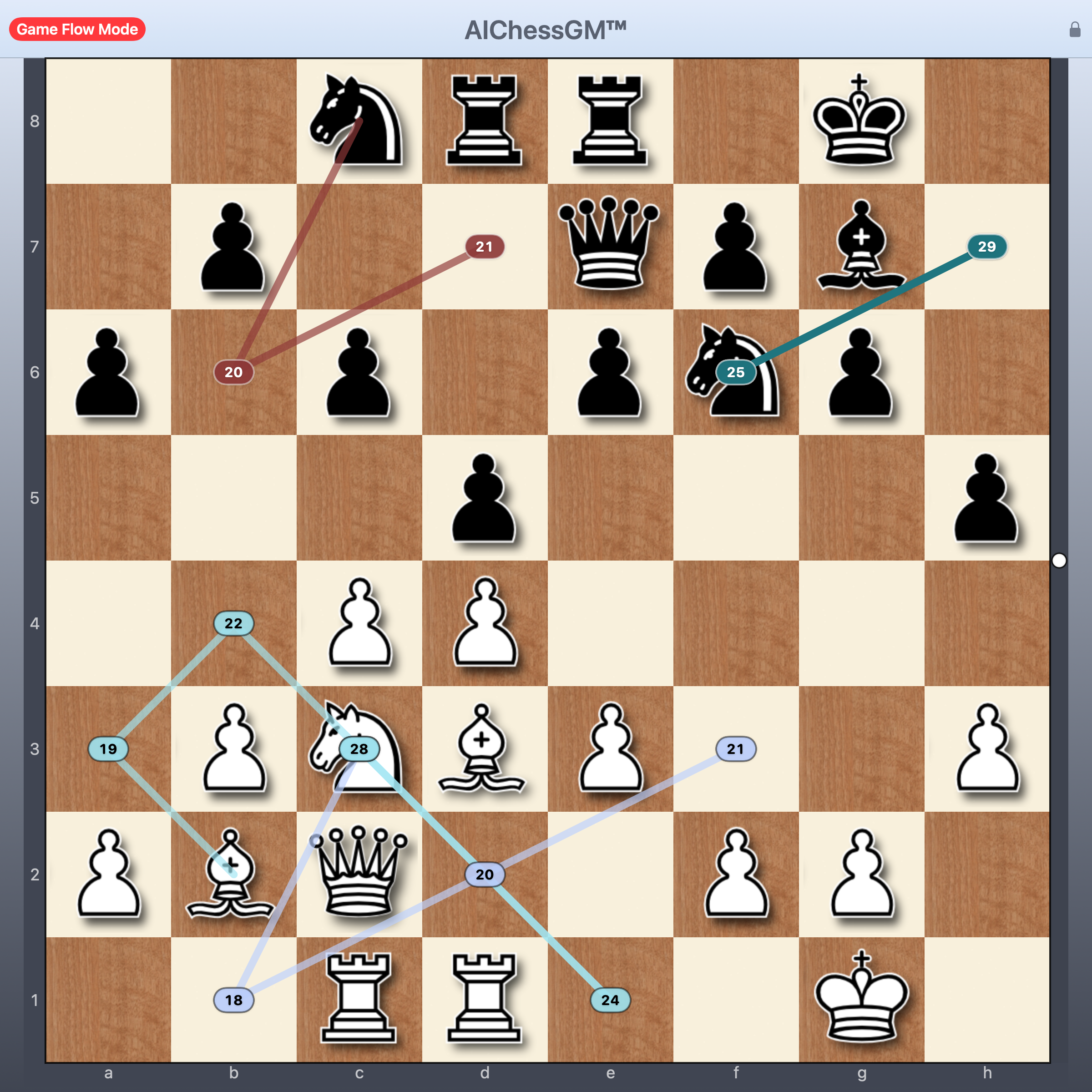
Game Flow Mode showing path visualization for strategic planning and piece coordination
Use Game Flow Mode to communicate ideas quickly: limit the number of future moves, select only the pieces you care about, and keep the board readable with clutter opacity controls.
AIChessGM is designed to work on modern macOS systems
macOS 14 (Sonoma) or later
Apple Silicon (M-series) only
UCI Chess Engines (Stockfish)
OpenAI API Key (for AI features)
PGN, .cgmdb, .bin, .ctg, .otb, FEN
Try the latest preview build of AIChessGM free for 7 days. Built for serious repertoire prep and training on macOS.
Download Free 7-Day TrialVersion 0.3.34 • March 2026
macOS 14+ • Apple Silicon
Privacy: AI features are optional and disabled by default. If you add an API key, AIChessGM stores it in macOS Keychain.
Support: Email info@aichessgm.com (usually within 24-48h).
After the trial period ends, a paid license will be required to continue using AIChessGM.
Read the main AIChessGM user guide, or open the optional remote Leela guide for Vast.ai and home Linux setups.
Optional: This remote-engine package is not required to install or run AIChessGM itself. AIChessGM works on its own without any Vast.ai, Tailscale, or Leela server setup.
Bridge source included: The setup package now includes the Go source for the Leela communication/startup layer, so you can build the bridge for Windows, macOS, or Linux. The bundled prebuilt bridge binary is Linux x86_64 only.
Fresh Vast container recovery: The packaged Vast bootstrap now auto-installs tailscale when the base Jupyter image is missing it, so a persistent /workspace volume can restore the service on the next start with much less manual recovery.