Build from Real Data
Create `.otb` trees from your own games, model games, filtered databases, PGNs, and imported opening material.
AIChessGM’s Repertoire Builder is a transposition-aware repertoire workstation for serious chess players. Build opening trees from databases and PGNs, repair weak branches with engine workflows, split one master repertoire into opening-specific files, and turn opponent prep into focused training.
The Repertoire Builder is not just a place to store opening moves. It is where your database work, engine analysis, comments, split files, and training workflows come together. The same position is tracked as one node even when move orders transpose, which makes it useful for real tournament preparation rather than just browsing lines move by move.
Create `.otb` trees from your own games, model games, filtered databases, PGNs, and imported opening material.
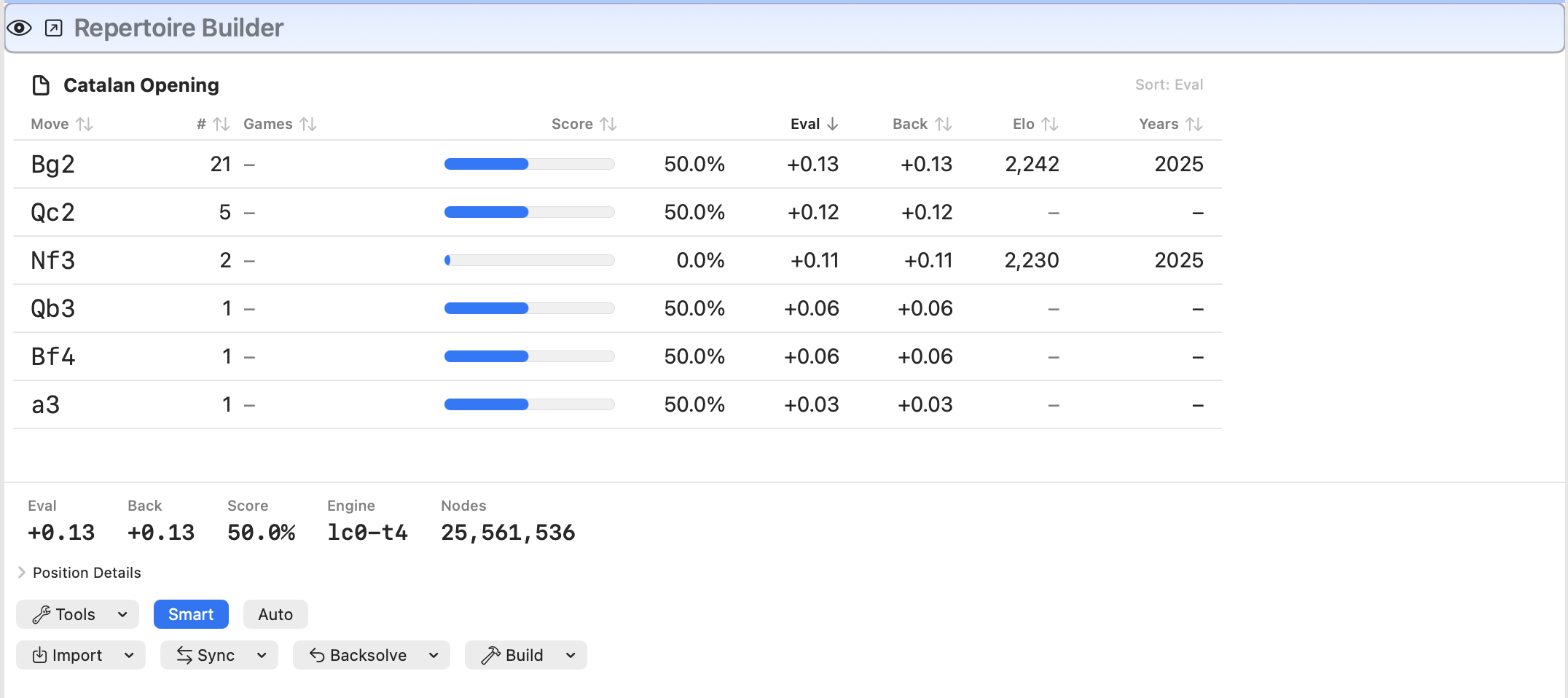
Use Eval/Back, Best/Parent, Fix Queue, Import Engine Lines, and whole-tree propagation to keep the repertoire healthy over time.
Turn one broad master repertoire into opening-specific split trees with coverage tracking and archived analyzed snapshots.
Push opening prep into Repertoire Training, Book vs Book, or narrow intersected round-prep files before a game.
The strongest use of the Repertoire Builder is not “store my openings.” It is turning broad chess data into a practical pre-round workflow. AIChessGM can help you build a tree for a potential opponent, intersect it with your own repertoire, filter game collections by the current tree, and then drill only the lines that are actually likely to occur.
Intersect Two Trees... to isolate the shared battleground between your prep and the opponent’s habits.Use a filtered database to create a tree for one player, one side, or one date range. This gives you the opponent’s actual branching map rather than a stack of disconnected games.
Intersect the opponent tree with your own repertoire and train the resulting file before a round. That turns scouting into usable rehearsal.
Use repertoire filtering to keep only games that remain inside the current tree for a chosen number of plies. This builds a much cleaner study set than ECO-only filtering.
Create a small focused file for tomorrow’s game instead of dragging your entire opening system into every prep session.
Split trees are one of the most powerful parts of the Repertoire Builder. Once your master repertoire gets broad, splitting by opening gives you smaller opening-specific workspaces, better integrity tracking, better opponent matching, and cleaner training workflows.
Create one `.otb` per opening family inside a `
Inspect the entire split set at once, sort by coverage and deep-analysis counts, and spot regressions without opening every file individually.
When a split tree reaches the deep-analysis threshold, AIChessGM can preserve a snapshot in Analyzed/ so completed opening work is not silently lost.
AIChessGM can resolve split files from active games, scan records, side-specific settings, and opening names, then fall back intelligently when an exact file is missing.
Import matching TWIC split-opening stats into a side-specific split file and add only opponent replies under repertoire-owner moves that already exist.
Serious repertoires need maintenance. AIChessGM gives you tools to find contradictory or weak positions, refresh engine work, propagate changes across the tree, and automate large repair passes without casually overwriting mature analysis.
Cycle through the highest-value cleanup targets: missing evals, multi-move issues, Best/Parent problems, and Eval/Back mismatches.
Jump to the immediate back source or the responsible leaf for an Eval/Back mismatch, then return directly to the original mismatch position.
Refresh propagated backsolve values across the whole tree after leaf or edge analysis changes, without needing another leaf-analysis pass.
Let the app work through routine repair targets overnight. Million-node Smart-protected cases are skipped for manual review instead of burning the session.
This page focuses on the Repertoire Builder as a standalone competitive workflow. For the rest of the app, use the main user guide and the other setup guides.